

TV mode
Football squares on TV
Put your board on a big screen: the board, the score, each quarter winner and a code friends can scan to follow along. Free for every account.
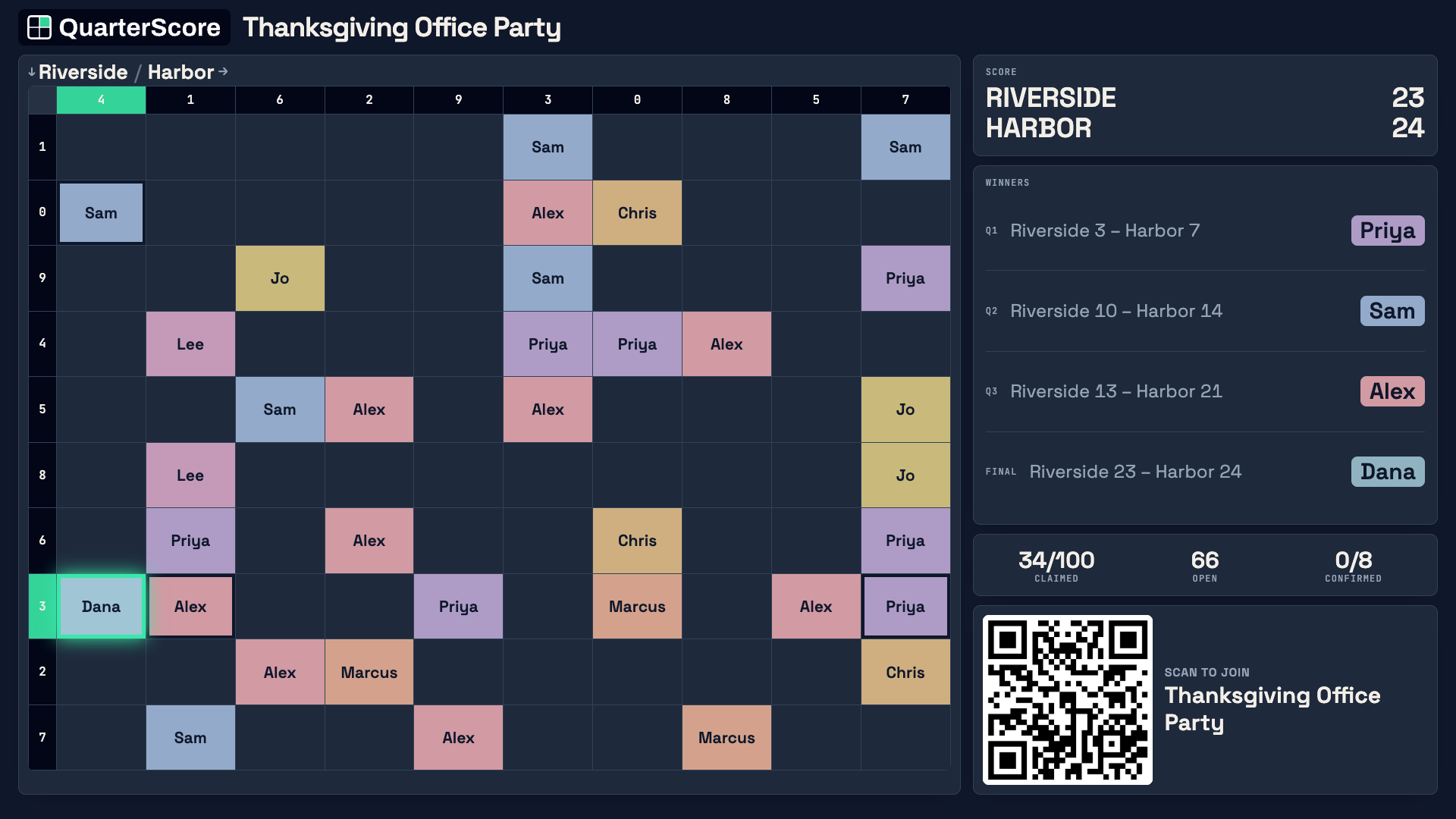
What the screen shows
The screen fills the window, from a laptop to a 4K TV, with no scrolling.
- The board, with each player’s squares in their own color.
- The live score and clock, when the board is linked to a live game.
- The winner of each quarter, and how many squares are claimed and open.
- A QR code so friends can follow on their phones. They do not need an account.
Get it on the TV
On a computer, open your game, open your profile menu at the top right and choose Present on a TV. It is there for the host and co-host. Then send that tab to the TV. We have not tested every TV, so try yours before game day.
- Chrome or Edge: browser menu, Cast, pick your TV, Sources, Cast tab. Same Wi-Fi for both.
- Safari on a Mac: Control Center, Screen Mirroring, pick your Apple TV or AirPlay TV.
- Any browser: use an HDMI cable, or open the page in the TV’s own browser.
- No mirroring: tap Copy TV link and open it on any device. It shows the board live and needs no sign-in.
Google explains casting in Cast from Chrome to your TV.
Watch a host put the board on a TV in 33 seconds.
More than one board
Signed in, press the clock button at the top right of TV mode and pick how often to switch, from 10 to 60 seconds. TV mode rotates through all your boards, and Stop holds one on screen. The arrow keys switch boards by hand. It suits a bar or a gathering where several groups each have a board.
Game-day checklist
- The day before: choose Present on a TV and check the TV shows it.
- Link the board to the live game so the score and clock appear.
- Put the TV where everyone can see the QR code.
- After the game: the Q4 tile says Final. Read the winners from the screen.
Keep going
Free. Players do not need an account.
Create a board